Google, Local Search, SEO
Google Business Profile optimisation: how to get into the map pack

The short version
- Your Google Business Profile, not your website, decides whether you appear in the map pack: the three businesses with a map that sit above every ordinary result on local searches.
- Optimising it is mostly unglamorous: the right categories, details that match everywhere, real photos, reviews you actually answer, and regular posts.
- It is free to do yourself and most of it takes an afternoon to set up and an hour a month to keep alive.
- The mistakes that bury a profile are avoidable: a keyword-stuffed name, a virtual office, a duplicate listing, details that disagree with your website.
- The profile works harder when the website behind it is fast, relevant and has a phone number you can tap.
What does Google Business Profile optimisation actually do?
It gets you into the map pack, and the map pack is where local searches are won. ☕
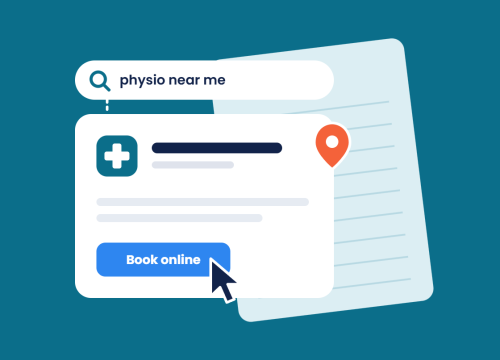
Search for almost any local service in Brisbane and look at what sits at the top: three businesses, a map, star ratings, a phone button. That block appears above every ordinary result. On 17 September 2026 iSonic pulled a Brisbane search for SEO services and the three-pack sat above every organic result on the page, agencies and directories alike, several of which had clearly spent real money to get there. The profile still beat them to the top.
Your Google Business Profile (most people still call it Google My Business, the old name) is the listing behind that block. It is also what shows in the knowledge panel when someone searches your business by name, what Google Maps shows when someone is driving towards you, and increasingly what AI assistants draw on when someone asks who to call. Optimising it means giving Google everything it needs to trust the listing and match it to the right searches.
Think of the profile as your shopfront on the busiest street in the city. Most businesses have one. Most leave the lights off, the hours blank and last year’s photos in the window. The optimisation below is switching the lights on.
Step 1: claim it, verify it, and check who has the keys
Before anything else, make sure you own the listing. Search your business name in Google Maps. If a profile exists, claim it through the “Own this business?” link. If it does not, create one at business.google.com.
Verification is Google confirming the business is real and at the address it says. Depending on your category it will ask for a video walk-through, a phone call, an email or a postcard. Do whichever it offers; a profile that never completes verification never fully appears.
Then check access. Profiles collect owners and managers over the years: the previous marketing person, an agency you left, a franchise head office. It is the first thing iSonic checks on a new local SEO client, and finding someone who left years ago still holding owner rights is common. Remove anyone who should not be there. If you cannot get in because someone who left the business set it up, Google has a recovery process, and it is slow, so start it today.
Step 2: pick categories like your business depends on it
Categories are the single biggest lever on the profile, and most businesses set them once and never look again. 👇
You get one primary category and up to nine additional ones. The primary category tells Google what you fundamentally are, and it carries the most weight in deciding which searches you appear for. Pick the most specific option that is honestly true: “Emergency plumber” beats “Plumber” if that is your bread and butter; “Family law attorney” beats “Lawyer”. Then add secondary categories for the other things you genuinely do, and stop there. Padding the list with near-misses dilutes the signal and can trip a review.
Two checks worth doing, and they are how iSonic sets categories rather than picking from the list. First, search your main service in your own suburb and note what primary category the businesses in the map pack are using; Google will often show it under the business name. Second, look at your own profile in the Maps app and ask whether a stranger would understand what you do from the category alone.
Step 3: business details that match everywhere
This is the step that quietly decides whether Google, and every AI assistant reading Google, trusts you.
Your name, address, phone number, opening hours and website have to be identical across your profile, your website (the footer, the contact page and the schema markup behind the page), your social profiles and the directories you are listed on. Not similar. Identical. “Unit 23, 12 Smith Street” and “Level 3, 12 Smith Street” are two different places to a machine, and a postcode that differs by one digit is a red flag, not a typo.
Where those details disagree, ranking systems get cautious. They cannot tell which version is right, so they trust the listing less. AI assistants do the same thing more bluntly: they leave you out. It is the same reason AI assistants read your business details before they will recommend you, and it is why an iSonic technical SEO audit includes checking the structured data on your site against the profile.
Practical version: write your details out once, exactly as they should appear, and paste that version everywhere. Then search your business name plus “reviews” and your phone number in quotes to find the old directory listings you forgot about. Correcting those is your job or your bookkeeper’s, and it is dull, but it is one of the highest-value hours you will spend this quarter.
Step 4: the description, services and attributes
The description is 750 characters that most businesses either leave blank or fill with “we are passionate about”. Use it to say plainly what you do, who you do it for and where, in the words a customer would use; iSonic writes these in the customer’s language, never the industry’s. Mention your main services and your service area. Do not stuff it with suburb names; Google reads that as spam and customers read it as desperation.
The services section lets you list what you actually offer, with a short description of each. Fill it in. It is one of the places Google matches your profile to specific searches, and it is where a customer confirms you do the exact thing they need before they call.
Attributes are the tick-boxes: wheelchair access, women-owned, online appointments, free Wi-Fi, whatever applies to your category. They are small, they are quick, and they are exactly the kind of filter people use when choosing between three similar businesses.
Step 5: photos and video, and how often
Profiles with real, recent photos get more clicks, more calls and more direction requests than profiles with a logo and nothing else. That is not a theory; it is why Google keeps nagging you to add them. 📸
Real means your actual shopfront, your actual team, your actual work. Not stock. iSonic’s rule of thumb for clients is a couple of new photos a month, taken on a phone. Add the exterior so people recognise you from the street, the interior so they know what to expect, and your work so they can judge it. Then keep adding. A profile that gets fresh photos every month reads as a business that is open and busy. A profile whose newest photo is from 2021 reads as one that might not be.
Short video works too: a walk to the front door, a 20-second look at the workshop. Nothing produced, nothing polished. Phone footage is fine and often better.
Step 6: reviews, and what to do about them
Reviews are the part of the profile customers read first and the part Google weighs heavily for prominence. They are also the part most businesses handle worst. 🤝
The compliant way to get them is boringly simple: ask, after the job, every time. Google gives you a short review link in the profile; put it in your invoice email, your follow-up text, your email signature. Do not offer a discount for a review, do not only ask the customers you know were happy (Google calls that review gating and it is against policy), and do not buy them. Bought and gated reviews get filtered, and profiles caught doing it get penalised.
Then respond to every single one. The good ones get a thank-you that mentions the job. The bad ones get a calm, specific reply that a future customer will read and think “fair enough, they handled that well”. Nobody expects a business to have no bad reviews. They expect it to answer them like an adult.
To be clear about who does what here: this is your job, not your agency’s. iSonic optimises the profile and shows you exactly how to run this; we do not write reviews or run a system that decides which customers get asked, and no agency should. If one offers to, that is a flag the size of South Bank. 🚩
Step 7: posts, Q&A and products
Posts are short updates that appear on your profile: an offer, a new service, a job you just finished, a change of hours over the holidays. They tell Google the business is alive and give customers a reason to pick you over the profile next to yours that has not said anything since it opened. One or two a month is plenty, and iSonic sets clients up with that rhythm: one post, one photo drop, one Q&A check.
Q&A is the section where anyone can ask a public question about your business and anyone can answer it, including a stranger who gets it wrong. Seed it yourself with the five questions you get asked most, answered properly, and check it monthly for anything new.
If you sell things, the products section lets you list them with photos and prices. For service businesses, it can hold your main packages or service tiers. It is optional, and it is one more surface that turns a browser into a caller.
Step 8: the website behind the profile
The profile gets you noticed. The website closes the deal, and Google knows how the two relate. 🏗️
Your profile links to a page on your site. That page should be about the thing the profile says you do, in the place the profile says you do it. If your profile is a Capalaba electrician and it links to a homepage that talks about your Sunshine Coast branch, you have confused the machine and the customer in one click. Point it at the right page. For a multi-location business, that is one page per location, and every profile links to its own.
The page itself needs to load fast on a phone, because that is where map-pack clicks come from, and it needs the phone number as a tappable link, because a number someone has to memorise and retype is a number that does not get called. Those two things are the difference between a profile that generates calls and one that generates bounces, and they are the reason web design in Brisbane and local SEO are one conversation at iSonic rather than two.
How much does it cost to optimise a Google Business Profile?
Nothing, if you do it yourself. The profile is free, every feature above is free, and Google would very much like you to use them.
What costs money is time and knowledge. The setup above is an afternoon if you know what you are doing and a frustrating fortnight if you do not, and the monthly upkeep (photos, posts, review replies, checking the details still match) is an hour or so that most business owners never quite find. An agency charges for doing that well and for the things that sit around it: the location page the profile links to, the schema on your site, the audit that finds the directory listing with the wrong phone number. At iSonic we scope that inside a local SEO retainer rather than as a standalone fee, and every quote is free and no-obligation, so the honest answer to “what does it cost” is “let us look at your profile and tell you”.
Can I do Google Business Profile optimisation myself?
Yes. Most of it, genuinely, yes. 🙌
Everything in steps one to seven is designed to be done by a business owner from a phone. If you have the time and the patience, do it, and use this article as the checklist.
Where help earns its keep is the part the profile touches but does not control: the website it links to, the structured data that confirms your details, the location pages for a multi-site business, and the ongoing tracking of whether any of it is moving your organic rankings. Those are the bits people tend to skip, and they are the bits that separate a tidy profile from one that actually brings work in. If you get to the point of hiring someone, the same rules apply as when choosing an SEO agency for anything else: ask what they will do in the first 90 days and how they will show you it worked. iSonic has written plainly about what SEO costs in Brisbane so nobody has to guess.
The mistakes that get profiles suspended or buried
Google suspends profiles more readily than people expect, and a suspended profile disappears from Maps entirely while you argue with a form. The one iSonic sees most is the first on this list. Avoid all of them:
- Keyword-stuffed business names. Your name on the profile is your name on the sign, not “Bob’s Plumbing Brisbane Emergency Blocked Drains”. Google removes the extra words and, if you keep putting them back, removes the profile.
- Virtual offices and PO boxes. Storefront and service-area businesses need a real address you operate from. A serviced-office suite you visit twice a year does not count and gets caught.
- Duplicate profiles. Two listings for one business split your reviews and confuse Google. Merge them.
- Details that disagree with your website. Covered above, and it is the most common one.
- Fake or gated reviews. Filtered at best, penalised at worst.
- Setting it up and walking away. Not a suspension risk, just the slow death that most profiles die.
It is worth saying that a bayside business competing in its own suburb has a genuine edge here, because the map pack rewards proximity and specificity. That is exactly why SEO for Redlands businesses and SEO in Capalaba lean so heavily on the profile, and why local SEO matters more for a plumber in Wynnum than for a software company in the CBD.
Frequently asked questions
What does Google Business Profile optimisation do?
It gets your business into the map pack, the block of three businesses with a map that sits above every ordinary result on local searches. At iSonic we treat the profile as the front door of local SEO: the right categories, details that match your website exactly, real photos, answered reviews and regular posts are what make Google confident enough to show you there. It also shapes how your business appears in Google Maps and in AI assistants.
How much does it cost to optimise a Google Business Profile?
Nothing if you do it yourself, because the profile and every feature on it are free. What costs money is the time to do it properly and the work around it: the location page the profile links to, the schema markup on your site and the audit that finds mismatched listings. At iSonic we scope that inside a local SEO retainer with a free, no-obligation quote rather than as a standalone fee.
Can I do local SEO myself for free?
Yes, a good deal of it. At iSonic we would encourage any business owner to claim and verify their profile, set accurate categories, add real photos, ask every customer for a review and reply to every one. Where help pays for itself is the website behind the profile, the structured data that confirms your details, and tracking whether your rankings are actually moving.
How long before I show up in the map pack?
It depends on how competitive your suburb and category are, and at iSonic we are upfront that nobody can promise a position or a date. A newly verified and properly optimised profile can appear for low-competition local searches within weeks. Crowded categories in busy suburbs take months of consistent reviews, photos and posts, and a website that backs the profile up.
Does iSonic optimise Google Business Profiles?
Yes. At iSonic, Google Business Profile optimisation is part of local SEO: we set up and optimise the profile, build and optimise the page it links to, and put the structured data on your site so your details match. Reviews and directory listings are yours to run, and we show you exactly how to do both properly rather than pretending they are included.
Let’s have a chat
If your profile has had the lights off for a while, we can tell you in a few minutes what is holding it back. Start with a free SEO audit, have a look at our search engine optimisation services, or call the iSonic team on 1300 924 356 and get in touch with us in Brisbane. No jargon, no lock-in mystery, just a straight look at how to get you into the map pack. 👋

Get industry insights for your business growth.
Sign up for all the latest updates from our iSonic team including news and industry updates.
Recent Articles