Ads, Digital Marketing, Google
Google Ads audit: what a proper audit should find
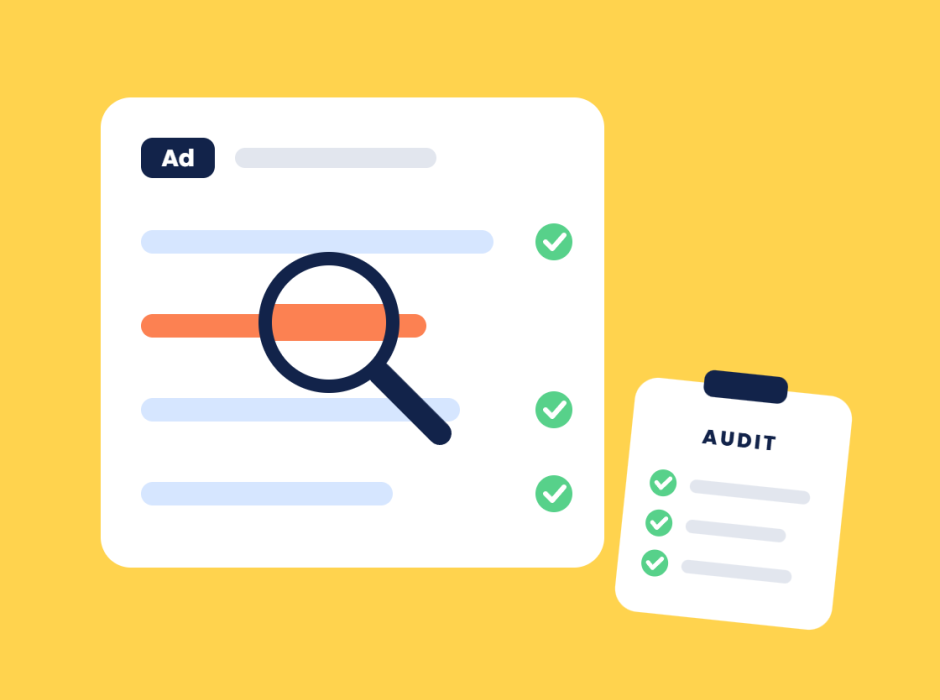

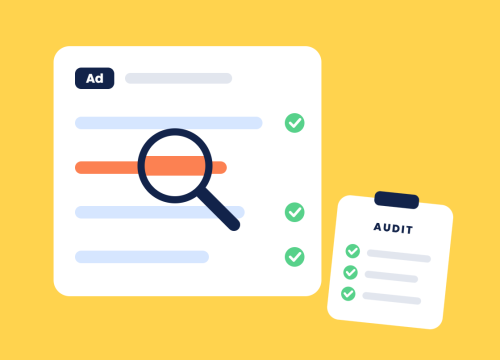
The short version 👇
- A good Google Ads audit follows the money. It starts with conversion tracking, because every other number in the account depends on it.
- Next come the settings that quietly leak budget: locations, networks, auto-applied recommendations and match types.
- Then the search terms report, which shows exactly what people typed before they clicked your ads, and the negative keywords that keep the wrong ones out.
- Bids, budgets, ads and landing pages come after that, in roughly that order.
- The output shouldn’t be a 40-page PDF. It should be a short list of changes, ranked by how much money each one saves or makes.
- You should own your Google Ads account, whoever manages it.
If you spend a meaningful amount on Google Ads each month, at some point you’ll wonder whether it’s working. Maybe the leads have dried up, maybe the cost per enquiry has crept up, or maybe a new marketing manager wants to know what they’ve inherited. An audit answers that. Here’s what a proper one looks at, in the order we’d look at it.
Start with what the account is counting
Everything in Google Ads, from the cost per conversion to the bidding strategy, depends on conversion tracking. If the tracking is wrong, the account is steering by a broken compass. 🧭
Check these first:
- What counts as a conversion? Open the conversion actions and read the list. A real enquiry form, a phone call from an ad, a purchase: good. Page views, “contact page visited”, or clicks on an email address: usually not.
- Is each lead counted once? For lead generation, a conversion should usually be counted once per click, not every time. Otherwise one person submitting a form twice looks like two leads.
- Primary or secondary? Only the actions you want Google to optimise towards should be primary. Everything else should be secondary, so it’s reported without driving the bidding.
- Does it match the CRM? Compare a month of conversions in Google Ads with a month of enquiries in your CRM or inbox. If Google says 60 and the team saw 25, something is double counting, counting spam, or counting the wrong thing.
- Does Google know which leads became customers? Offline conversion imports and enhanced conversions for leads let you feed back lead quality, so the account learns to find customers rather than form fills.
An audit that skips this step and goes straight to keywords is reviewing numbers it hasn’t verified.
The settings that quietly leak budget
These are the defaults that cost money without anyone noticing, because nothing looks broken.
- Location targeting. Google’s default setting shows ads to people in your area or interested in it. For a Brisbane service business, “interested in” can include someone in another state reading about Brisbane. Most local service businesses should target people in or regularly in their locations.
- Networks. Search campaigns can also run on the Display network and on search partner sites. Display placements on a Search campaign usually bring cheaper, lower-intent clicks. Check they were switched on deliberately.
- Auto-applied recommendations. Google can apply some of its recommendations automatically, including ones that add keywords or change bidding. Check which are switched on, and whether anyone reviewed the changes.
- Ad schedule and devices. If your team only answers the phone in business hours and most calls are the goal, the schedule should reflect that.
- Account ownership. Check that your business owns the account and that you have admin access. An agency-owned account means you lose the history when you leave.
What people actually searched before they clicked
The search terms report is the most useful page in Google Ads. It lists the real searches that triggered your ads, and it’s where most wasted spend hides. 🔍
A proper audit reads it line by line across at least the last 90 days and sorts the terms into three piles:
- Good terms that should become keywords in their own right, with ads written for them.
- Junk terms: job seekers, DIY searches, competitors’ brand names you don’t want, services you don’t sell, the wrong suburb or state. These need negative keywords.
- Grey areas that convert sometimes. These need a decision based on the numbers, not a guess.
On negative keywords, we add two layers for every junk search term: an exact match negative for the actual search, which keeps a clean record of what was excluded and why, and a phrase match negative for the idea behind it, which catches future variations. We also check that no negative is accidentally blocking a keyword you’re paying to target. That conflict is more common than you’d think.
Keywords, match types and structure
With the junk filtered out, look at what’s left:
- Match types. Broad match can work well with strong conversion data and smart bidding. Without them it wanders. Check which match types are running and whether the search terms justify it.
- Structure. Ad groups should be tight enough that the ad matches the search. One ad group with 80 unrelated keywords can’t do that.
- Brand and non-brand. Searches for your business name are cheap and convert well. Mixed in with everything else, they make the whole account look better than it is. Report them separately.
- Performance Max overlap. If the account runs Performance Max alongside Search, check whether PMax is taking your brand searches and whether the two campaigns are competing for the same customers.
Bids, budgets and impression share
Now the money side:
| Check | What good looks like | Red flag |
|---|---|---|
| Bidding strategy | Matches the goal and the amount of conversion data | Maximise conversions on an account with almost no conversions |
| Budget | Campaigns that make money aren’t capped by budget every day | Best campaign “limited by budget” while weaker ones spend freely |
| Impression share lost to rank | Understood and accepted, or being worked on | Large share lost to rank on your most valuable terms, with no plan |
| Cost per conversion | Known by campaign and compared with what a customer is worth | One blended number for the whole account |
| Spend by campaign | Most spend going to what converts | A large slice of spend on campaigns with no conversions |
The question behind all of this is simple: if you moved money from what isn’t working to what is, what would happen? A good audit answers that with numbers.
Ads, assets and the page they land on
Ads. Read every live ad as a customer would. Do the headlines say what you do, where, and why you’re the right choice? Are sitelinks, callouts and call assets set up and current?
Landing pages. This is the part most audits skip, and often where the biggest win is. If ads send people to a generic home page, a slow page or a page with a buried form, the account pays for clicks the website then wastes. Check load speed on a phone, whether the page matches the search, and whether the next step is obvious. Good landing pages and website design often lift results more than any bid change.
What a useful audit report looks like
The audit itself isn’t the goal. The changes are. A useful report is:
- Short. A clear summary of what’s working, what isn’t, and why.
- Ranked by money. The changes that save or make the most come first.
- Specific. “Add these 34 negative keywords” beats “review negative keywords”.
- Honest about quiet months. Sometimes the right answer is to change very little. An audit shouldn’t invent a long action list to look busy.
If you’re comparing agencies, ask to see an example audit before you sign. It tells you how a team thinks. For budget context, see what Google Ads costs in Australia. If you’re deciding between paid and organic, our comparison of SEO and Google Ads is a good place to start.
Doing it yourself, or getting help
You can run most of these checks yourself if you have admin access and a few spare hours. The search terms review and the CRM comparison alone will tell you a lot.
Where an outside review earns its keep is speed and pattern recognition. Someone who audits accounts every month knows where the common leaks are, can read the numbers in context, and doesn’t have a reason to defend past decisions. If you’d rather hand it over, ongoing Google Ads management should include this kind of review every month as part of the job.
Frequently asked questions
What is a Google Ads audit?
A Google Ads audit is a structured review of an advertising account to find wasted spend and missed opportunities. iSonic starts with conversion tracking, then works through settings, search terms and negative keywords, bids and budgets, ads, and the landing pages the ads send people to. The result is a short list of changes ranked by how much money each one saves or makes.
How often should a Google Ads account be audited?
A full audit makes sense when you take over an account, change agencies, or see results change and can’t explain why. Beyond that, the key checks (search terms, negative keywords, budgets and conversion tracking) should happen as part of monthly management. That’s how iSonic runs the accounts we look after.
What are the most common problems found in a Google Ads audit?
The most common problems iSonic finds are conversion tracking that counts the wrong things or double counts leads, search campaigns running on the Display network by default, location settings that show ads outside the service area, and search terms that were never reviewed. Each one wastes money quietly, without anything in the account looking broken.
Can I audit my own Google Ads account?
Yes, if you have admin access you can run most of the checks yourself. iSonic suggests starting with the conversion actions and the search terms report, then comparing a month of Google Ads conversions with the enquiries your team actually received. An outside audit adds pattern recognition and an independent view, which matters most when the account has been managed by someone else.
Who should own the Google Ads account?
Your business should own its Google Ads account and have admin access, even when an agency manages it. iSonic manages accounts that belong to our clients, so the history, data and conversion setup stay with the business if anything changes.
What should a Google Ads audit cost?
It depends on the size of the account and how deep the review goes. iSonic scopes each audit to the account, and quotes are free and no-obligation. Be wary of audits that are mostly an automated score: the valuable part is a person reading the search terms and checking the numbers against your real leads.
Want someone to look over your account?
If you’d like an independent view of your Google Ads account, our Google Ads agency in Brisbane can review it and tell you plainly what we’d change and why. We work with businesses across Brisbane and South-East Queensland, and you’ll always know who’s looking after your account. Let’s talk.

Get industry insights for your business growth.
Sign up for all the latest updates from our iSonic team including news and industry updates.
Recent Articles